

EZCast Beam J2 Quick Start Guide
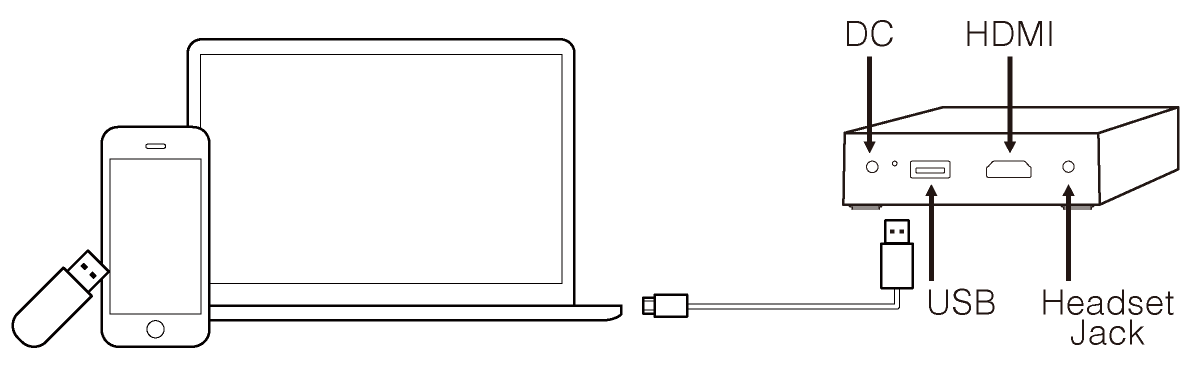
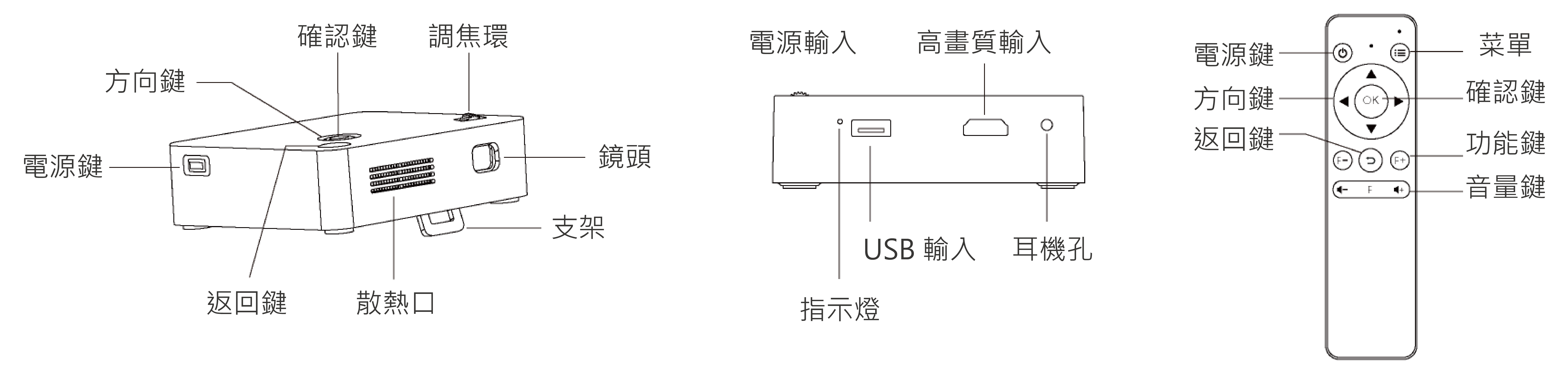
產品安裝示意圖
1. 開機前準備:
(1) 將隨附的電源適配器連接至投影機電源端口。
(2) 接上電源後,機身側面 LED 燈恆亮綠燈,投影機進入待機狀態。
2. 按下投影機側面的電源鍵,開啟投影機。
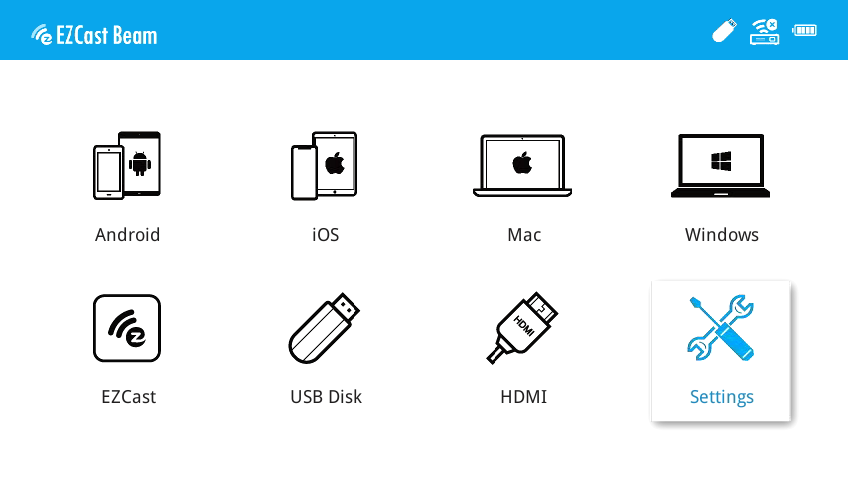
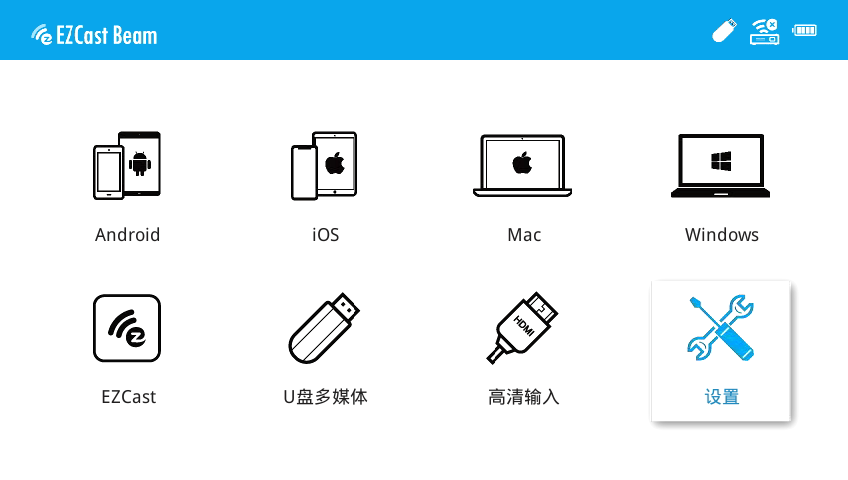
3. 開機後進入主畫面,用投影主機方向鍵或遙控器方向鍵選擇所需功能:手機有線投影、Android 無線投影、電腦有線投影、EZCast、高畫質輸入、多媒體、設定,如圖:
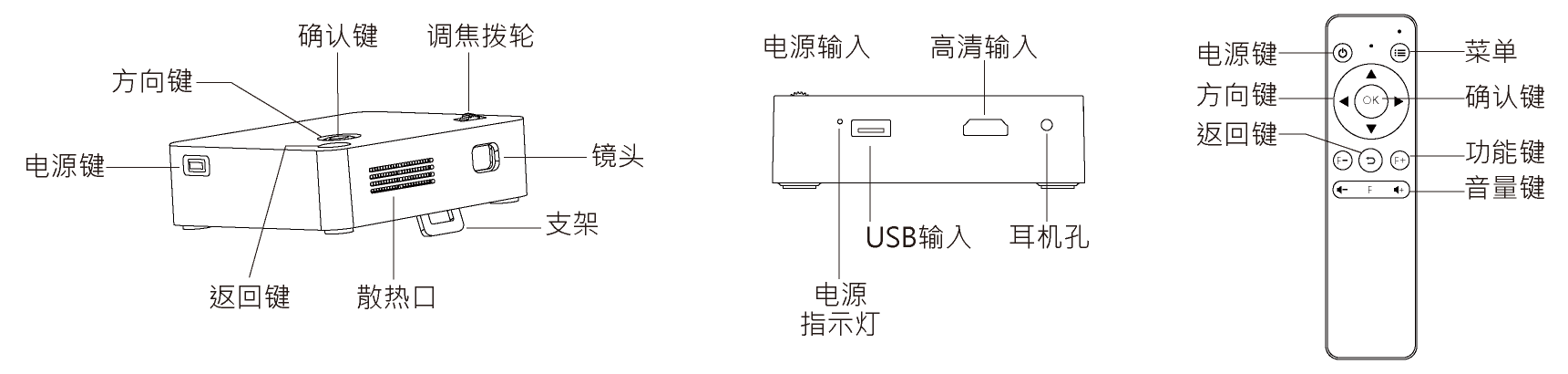
产品安装示意图
1. 开机前准备:
(1) 将随机标配的电源适配器连接投影仪电源端口。
(2) 通电后机身侧面LED绿灯常亮,投影仪进入待机状态。
2. 按投影仪侧面的电源键,启动投影仪。
3. 开机后进入主界面,用投影仪主机方向键或遥控器方向键选择所需菜单:手机有线同屏、安卓无线同屏、电脑有线同屏、EZCast、高清输入、多媒体、设置,如图:
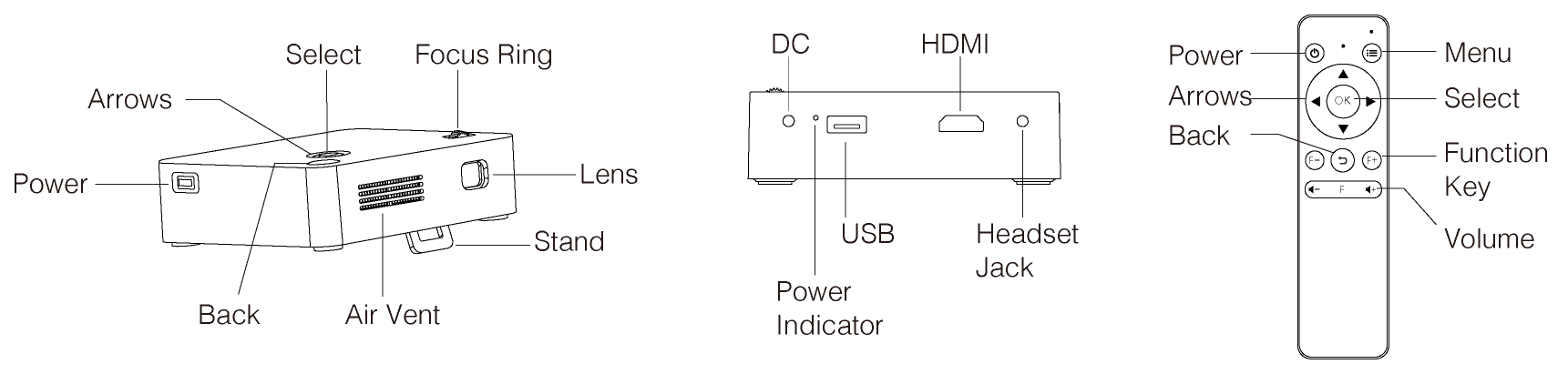
Installation
1. Before operation:
1) Power on the projector with the supplied power adapter.
2) LED turns green to indicate idle state.
2. Press power button on the projector chassis to turn the projector on.
3. Once in the home screen, use the arrows (on projector chassis or remote) to select the functions: (EZWire Mobile, EZMirror, EZWire PC, EZCast, HDMI, USB Disk, Setting)

Watch setup videos

Download full user manual

Download Quick Start Guide

Subscribe for
more demo videos